
The screen is impressive. The buyer is polite. Neither tells you whether the demonstration helped them make a decision. A relevant demo gives each part of the product a reason to appear. Start with the task the buyer wants to perform and the question they need the demonstration to answer.

Agree what this demonstration needs to establish

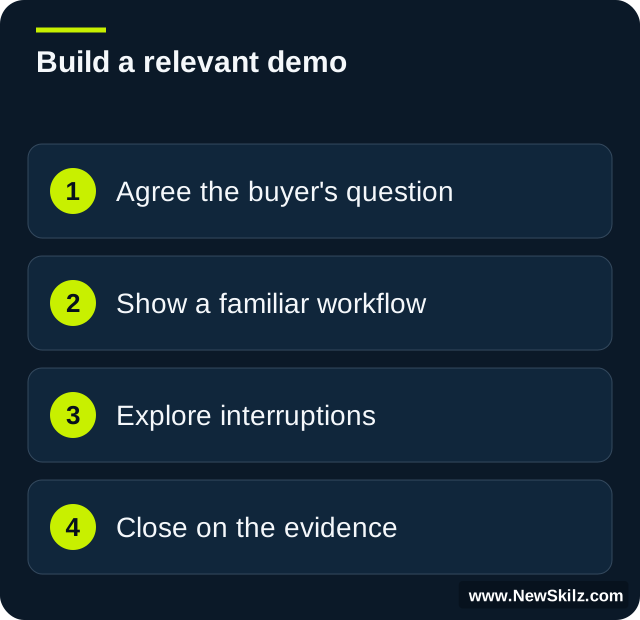
Before preparing screens, finish this sentence: “After this meeting, the buyer should be better able to judge whether…” The answer might concern a workflow, a requirement or the practicality of an approach. Keep it specific enough to check with the buyer. “See our platform” gives the presenter almost no basis for selection.
Ask who will attend and what each person needs to evaluate. A commercial sponsor and a technical specialist may require different evidence. Agree the scope, name questions requiring specialist validation and distinguish a demonstration from a promised implementation. Use your organisation’s approved product information to decide what can credibly be shown.
Use a simple story through the workflow

Build a sequence with a starting situation, a meaningful task and an observable result. Explain what the user is trying to achieve before opening the relevant screen. Show the steps needed to support that task, then reconnect the result to the buyer’s concern. Avoid detours simply because a feature is nearby.
A useful planning sheet has these fields:
- Buyer task: what someone needs to do.
- Current difficulty: the problem the buyer has described.
- Approved capability: what you can accurately demonstrate.
- Check: the question that tests whether the example is relevant.
Leave out a feature when it does not serve the agreed purpose. Keep supporting detail available for questions.
Make the example familiar without inventing the buyer’s world

In an illustrative scenario, an operations manager wants clearer ownership of customer requests. The presenter starts with a request awaiting an owner, shows an approved assignment process and examines how the team sees its status. The check is: “Would this give your supervisors the visibility they described, or is another step missing?”
This is more useful than claiming the demonstration proves faster resolution. The team may have dependencies the product cannot remove. Use agreed sample information, avoid confidential live data and label assumptions. Tailoring can mean reflecting the buyer’s task and vocabulary without pretending to reproduce their full environment.
Prepare for the interruption that changes the room

A question halfway through the demo may reveal the real decision criterion. Pause and clarify it before returning to your sequence. “When you ask about access, are you concerned about who can view the request or who can change its status?” establishes the issue more precisely.
If the answer requires validation, identify the appropriate owner and record the question. Do not improvise a product or security commitment to preserve momentum. If the issue changes the purpose of the meeting, check whether the group wants to explore it now or schedule a focused technical conversation. Relevance includes knowing when to change the planned route.
Rehearse for buyer judgement, then close on evidence
Run the demo with a colleague who can interrupt, challenge relevance and ask what a feature means for their work. Give the observer three questions: Did the presenter establish the task? Did each demonstration step serve it? Did they check the buyer’s interpretation? Use the feedback to shorten or clarify one part and try again.
At the close, ask what the demonstration clarified and what it left unresolved. Summarise fit and uncertainty separately. Agree the next piece of evidence, its owner and the decision it supports. “We enjoyed the demo” is pleasant feedback; understanding what the buyer can now judge is more actionable.
NewSkilz tailors demo rehearsal to your approved capabilities, buyer workflows and the roles sharing the presentation.
Make it relevant to your team.

Use your goals, roles and real situations to choose the next useful step.